
Truffe Online, a chi rivolgersi dopo che si è subito un cyberfurto? Il problema è molto più consistente e importante di quanto si potrebbe immaginare: è stato stimato che ogni giorno si…"

The most important files that contain your emails are the PST and OST files in Outlook. Often we run into a situation where we would like to view the content of PST (Personal Storage Tables) and OST (Offline Storage Tables) files without having to install Outlook on your PC.Viewing PST files would not have been easy without the incredible tool like Kernel PST that is available for free.
Recommended Reading:
Using these tools, you can easily open and view the contents of PST (Personal Storage Tables) and OFT (Offline Storage Tables) without having to install Outlook.
Using Kernel PST tool you can:

Kernel for PST Viewer supports all versions of MS Outlook, such as MS Outlook 97, Outlook 2000, Outlook XP, Outlook 2003, Outlook 2007, and Outlook 2010. The software can be installed on Windows 2000, Windows XP, Windows 2003, Windows Vista, and Windows 7 operating systems to open PST file.
Download Kernel PST for free.
 "
"
Earlier today, reviews of the free portable app Mulve made their rounds on the Internet. It probably originated at Torrentfreak and got picked up by other sites shortly thereafter as well.
Mulve, is a free, standalone program to download music from the Internet. It’s biggest feature? Simplicity. A double-click to start, a search phrase, and clicks on the Save button to save the music to the local hard drive. That’s all it takes to download music.
The availability of music is huge. The developers claim the program has access to ten million songs, and it surely feels that way. Search for some hip charts pop trash and you find it, search for other genres or artists and you find them, search for rare stuff and you are likely to get hits as well.
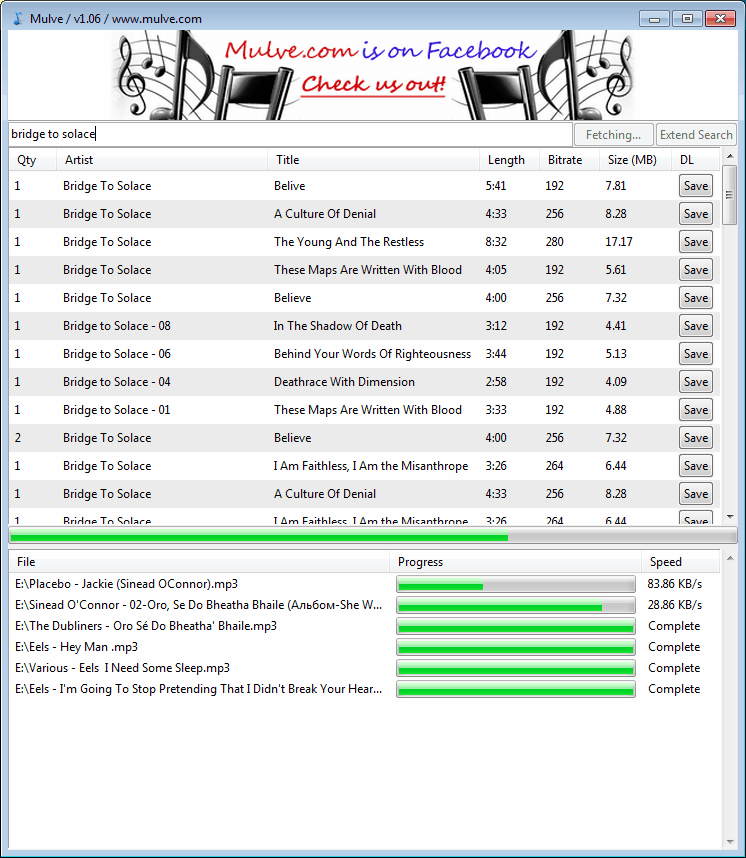
mulve music downloader
A click on Extend Search will display more results on the same page. All downloadable with a single click. All results are shown with the artists name, title, length, bitrate and size of the song. It is even possible to sort the music, for instance to display the largest files on top, or to better handle results with multiple artists.
Download speeds are ok and it is possible to download multiple songs at once.
From a technical standpoint, there is not much that can be more comfortable or better. The program could use a search filter and an option to start downloads of multiple files at once.
Torrentfreak scanned a few of the downloads and found out that their source leads to Russia, more precisely the huge social network Vkontakte. Downloads are direct http downloads, there is no sharing involved in the process and the only way to find out that a user has downloaded music is from the traffic logs of the server they were downloaded from.
It is legal? We are no lawyers here. Legalities depend on the laws in the country of the user. For many countries this will likely be a No. The likelihood of discovery on the other hand is slim as well.
What’s your take on Mulve? Let us know in the comments.
© Martin for gHacks Technology News, 2010. | Permalink | Add to del.icio.us, digg, facebook, reddit, twitter
Post tags: download-music, mulve, music downloader, portable software, vkontakte, windows software


Most Windows users need to log into the system before they can access their system account. Some single computer users configure Windows to log in automatically, which is comfortable but not very secure. The free face recognition software Blink! offers a way to log in that is both secure but also comfortable.
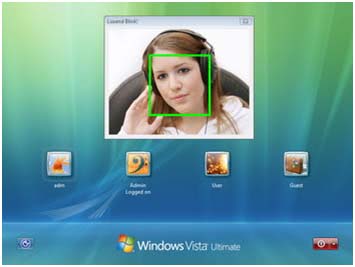
The main requirement is a webcam, as it is used by the software to recognize the user’s face. Faces need to be registered and associated with Windows profiles. This step is best undertaken right after installation of Blink. It is a one time process to setup the face recognition system properly.
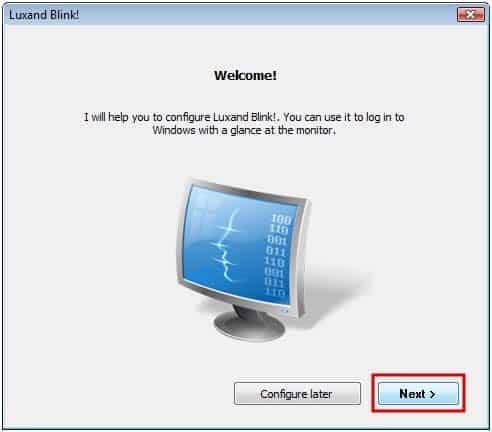
face recognition software
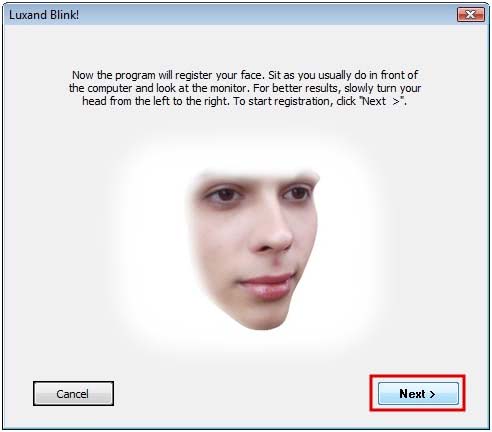
face recognition software2 blink
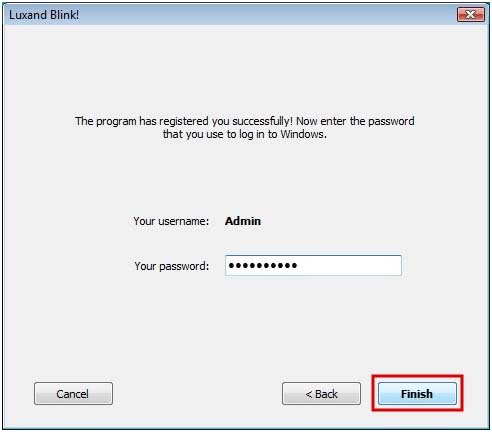 [/caption]
Two basic steps need to be completed for every user account. The user needs to look into the webcam during the configuration, so that Blink can add the face to the database. Once the face has been recognized the Windows username and password need to be supplied. Those are then automatically used by Blink! to log in the user if the facial recognition was successful.
From that moment on, registered users can log into Windows by looking into their webcam. This works on fresh starts, on locked computers, after hibernation, standby and every other possible computer state.
howitworks1
It is however still possible to log in normally by entering the password of the account with the computer keyboard. That’s a fallback if the webcam happens to be not available at that time, or the face recognition software fails to recognize the face of the user.
Blink! can be disabled at anytime, which takes effect on the next login attempt. The software is freely available for personal use. Downloads for 32-bit and 64-bit editions of Windows Vista and Windows 7 are provided on the developer website.
© Martin for gHacks Technology News, 2010. | Permalink | Add to del.icio.us, digg, facebook, reddit, twitter
Post tags: blink!, face recognition, face recognition software, windows login, windows software


 "
"

L’idea dei creatori di 48ers è quella di offrire una piattaforma che aiuti gli utenti a rintracciare le conversazioni in corso sui social network. Niente di nuovo, se consideriamo gli sforzi di Bing e Google per fare altrettanto. Eppure, 48ers è particolarmente accurato.
È curiosa l’origine del nome 48ers: si tratta della definizione affidata ai cercatori d’oro californiani in un libro del 1975. Come su Twitter è possibile partire da alcuni Trending Topics suggeriti in prima pagina. I risultati delle ricerche sembrano davvero soddisfacenti, confrontati con motori come Google Real Time.
Via | TheNextWeb
Ricerca in tempo reale sui social media con 48ers é stato pubblicato su downloadblog alle 10:00 di lunedì 30 agosto 2010.


 "
"

