So-called Software Giveaway Sites, or software freebies sites, offer one or more commercial programs for free each day to their visitors.
All you need to do to grab a free license is to grab the program on that specific day. These versions are often limited, for instance by not including update rights in the license. While that may be an issue for some programs, it does not really matter for others.
The following overview lists major software giveaway sites. We explain the process on each site to grab free programs, check privacy policies and terms of use, and provide you with a handy table in the end that lists major information for easy access.
Free Software Giveaway Sites
If a site that you would recommend is not on the list, let us know in the comments and we check it out.
Note: Some promo sites copy giveaways from other sites and post them on their own without citing sources. Sites known for that are Giveaway Archives, Topsoft, Topsoft Bargains and Windows Deal.

Bitsdujour lists free deals right on the site's start page. It highlights the name of the program there, target operating system, and a short one liner that describes the program.
A click on view deals opens a page filled with information. You get a longer description of the application, may read user comments, browse features, or check out the fine print. The latter lists the terms of use that describe what the license entails.
You need to sign in to an account before you can grab the free offer. If you don't have an account yet you may register one right away using Facebook or email. You may uncheck the newsletter signup at this stage if you are not interested.
Registration codes are sent by email, and the installer just delivers the program and does not use wrappers.

Download.hr offers two major types of giveaways: those that provide unlimited licenses, and those that provide limited licenses.
Unlimited license deals work by waiting 300 seconds on the site, or sharing the giveaway to gain access right away. The service displays registration information afterwards, and off you go.
The limited license deals require that you sign up for an account and add your name to the list of users who want to grab a license. If your name is drawn when the giveaway period expires, you get that license. The installer offered installs the software directly.
One issue with this site is that the deal terms are not listed all the time.
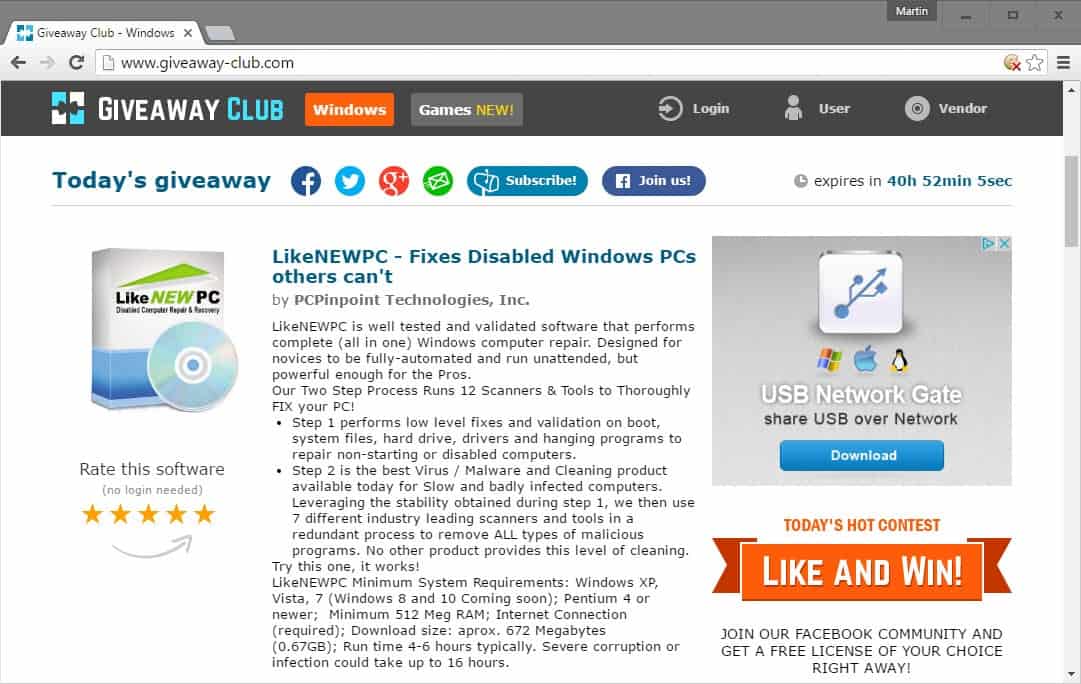
Giveaway Club lists active deals on the site's frontpage. Information provided includes the name of the application, system requirements, and a description of the program.
The site does not list the terms of the deal however which means that you don't get information about restrictions or limitations.
It is not required to register an account before you grab a free software offer on the site. Some can be installed right away after the download, others require that you open the attached activation instruction PDF document and follow the instructions provided.
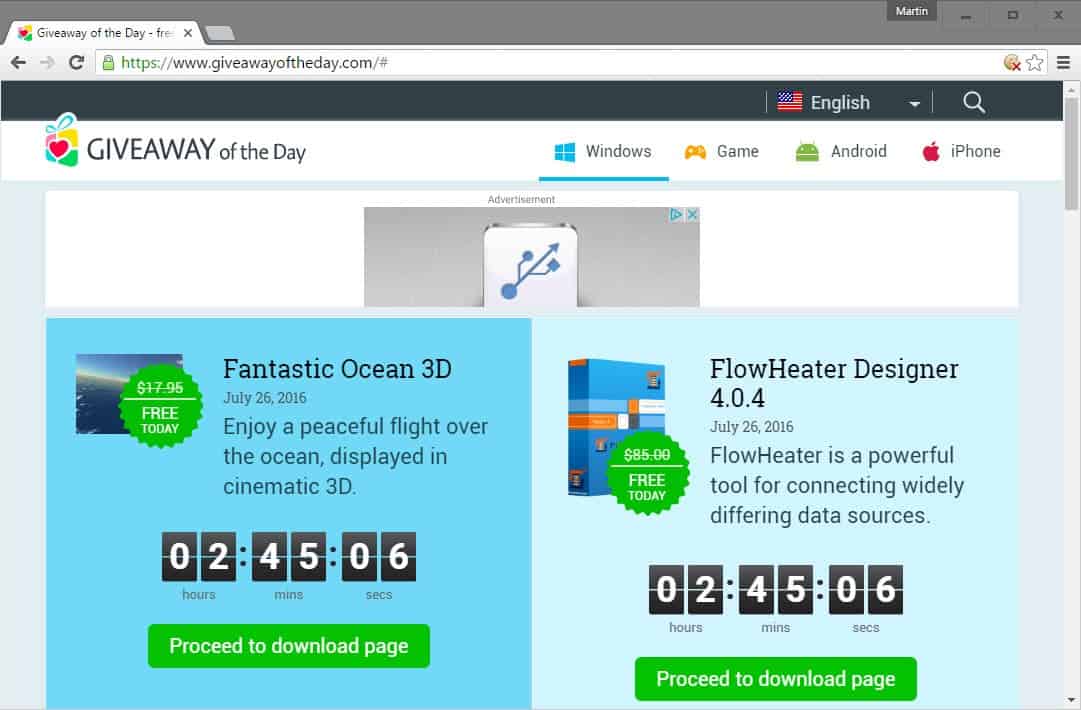
Giveaway of the Day highlights multiple deals on its web page including deals for mobiles. The frontpage highlights the application name, a short description and the time left for that particular deal.
You need to share the deal on social media or supply an email address to get the download link. Installation is not as straightforward as on many of the other services.
Usually, it involves running the program's setup first, and then after the program is installed on the PC a file called activate.exe to activate the license on the computer.
Please note that the activation program may add Giveaway of the Day to the favorites in Internet Explorer if you just close the prompt without removing the checkmark from the option first. Also, closing the activation prompt will load the Giveaway of the Day website in the default system browser.

Shareware on Sale lists several deals on its website. While it highlights one deal specifically on it, you will find quite a free free deals listed on it as well.
Please note that the site mixes free deals and deals that discount software or products.
You are required to provide the site with your email address and basic information before the download is provided. The serial number, if required, is listed on the download page as well so that you can activate the program right away during installation.
Shareware on Sale lists terms and conditions on each deal page.

Top Soft Bargains lists free and discounted offers on its startpage. New customers need to create an account to grab any of the free offers. You need to provide an email address during registration.
Installation and registration instructions for selected programs are listed on the checkout page. Please note that you are added to the newsletter automatically when you place an order on the site.
Licenses, if required, are provided on the download page most of the time. Sometimes, you need to click on an activation link during installation of the program to get it registered instead.

Topware Sale lists basic information about each deal on its website. It requires that you provide an email address before you can start grabbing free programs.
Each deal is listed with its expiration date and a short description. License terms are not provided apart from very basic information in the title (1 year free..). Licenses, if required, are listed after checkout.
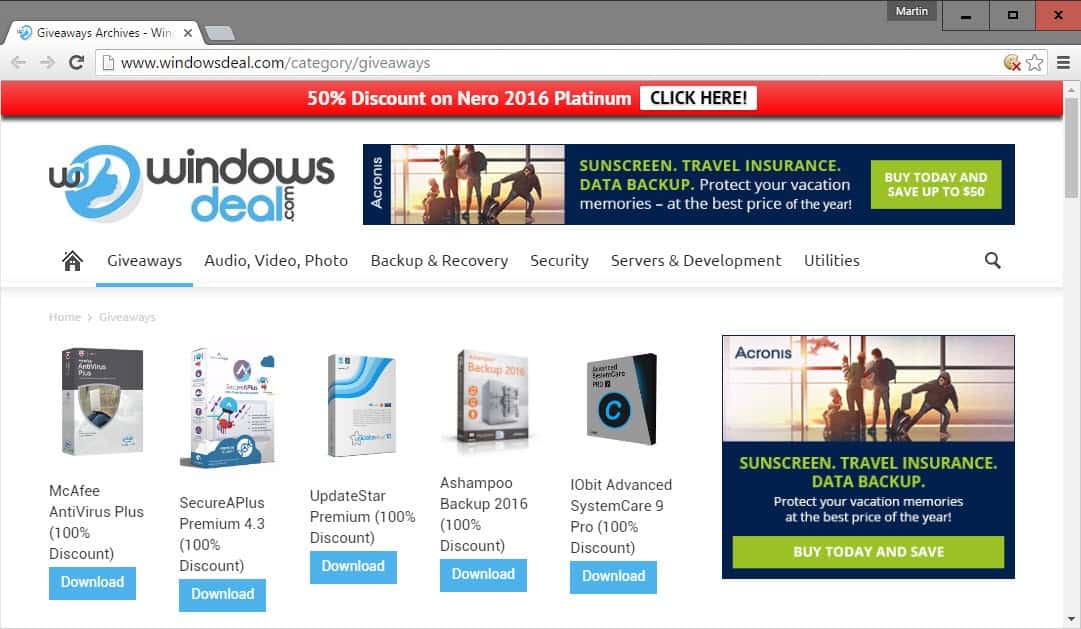
Windows Deal lists several deals on its startpage. The service requires an email address before you can download any of the free software offers it provides.
Serial numbers and activation instructions are provided on the checkout page, as is the download of the actual program.
The site displays an overlay ad on any page you open on it
Other Sites
These sites offer regular giveaways as well (some only infrequently)
- Comss (Russian site)
- Softpedia giveaways
- Tiploot
Software Giveaway Sites Comparison
| Name |
Daily |
Upcoming |
Notifications |
Deal Terms |
Registration |
Privacy Policy |
|
|
|
|
|
|
|
| Bitsdujour |
yes |
yes |
yes |
yes |
required |
yes |
| Download.hr |
yes |
no |
yes |
sometimes |
sometimes |
yes |
| Givaway Club |
no |
yes |
yes |
no |
no |
yes |
| Giveaway of the Day |
yes |
yes |
yes |
yes |
email |
yes |
| Shareware On Sale |
yes |
no |
yes |
yes |
yes |
yes |
| Top Soft Bargains |
yes |
no |
yes |
yes |
yes |
yes |
| Topware Sale |
no |
no |
yes |
no |
email |
yes |
| Windows Deal |
yes |
no |
yes |
no |
email |
yes |
How these sites make money
Software giveaway sites are monetized in various ways. Some displays ads on their websites and earn revenue from that. Others may offer deals and discounts next to free offers, or offer to upgrade a program to a better version for a discounted price.
Now You: Do you use any of the services listed here? Did we miss your favorite service? Let us know in the comments.
Ghacks needs you. You can
find out how to support us here or support the site directly by
becoming a Patreon. Thank you for being a Ghacks reader.
The post
Free Software Giveaway Sites Overview appeared first on
gHacks Technology News.
via gHacks technology news http://ift.tt/2a8Cb4c


